Category: AI and Search
Reading time: approximately 10 minutes
Understanding AI search is one thing. Doing something about it is another. This guide moves past the explanation and into what actually changes whether your business shows up when someone asks an AI tool for a recommendation.
The good news is that the fundamentals are not complicated. The businesses getting recommended by ChatGPT, Perplexity, and Google’s AI are not doing anything mysterious. They have sites and online presences that make it easy for AI tools to find them, read them, understand what they offer, and pass that information on to people asking the right questions.
Here is what that actually looks like in practice.
How do I make my business appear in AI searches?
AI tools learn about businesses from multiple sources, and getting recommended requires showing up consistently across most of them.
Your website. This is the foundation. AI tools crawl websites the same way search engines do, looking for clear signals about what a business does, who it serves, and where it operates. A site with vague, generic content is harder for AI to categorise and less likely to be cited. A site with specific, well-structured content that directly answers common questions is much easier to work with.
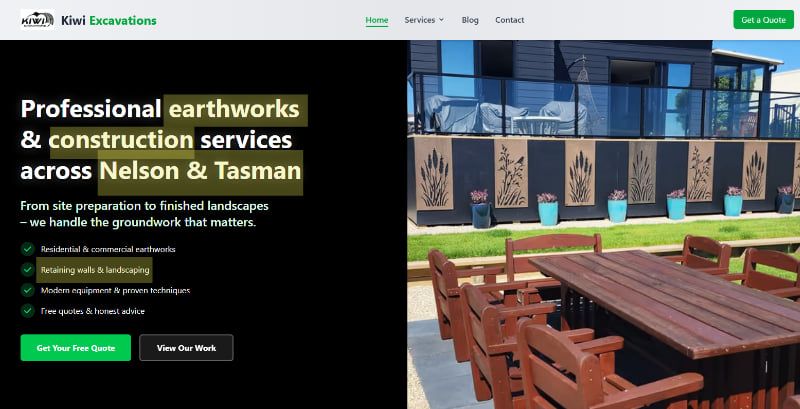
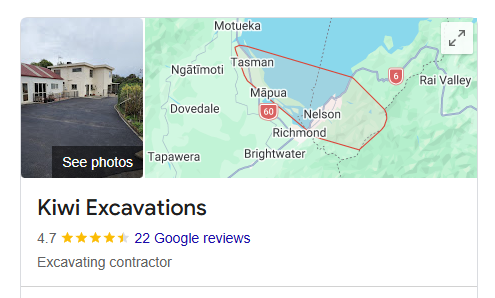
Third-party directories and platforms. Google Business Profile, Facebook, LinkedIn, industry directories, Yelp, and similar platforms are all places AI tools pull information from. A business with a complete, consistent presence across these platforms is more visible to AI than one that exists only on its own website.
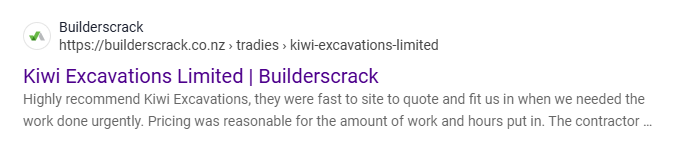
Reviews. AI tools pay attention to reviews as a credibility signal. A business with a solid collection of genuine reviews on Google and other platforms is more likely to be recommended than one with none. This is not just about the star rating. The content of reviews, the specific language people use, and the recency all matter.
Online mentions. Places like Reddit, Quora, and local community forums are sources AI tools actively draw from. Being mentioned in relevant conversations, even just as a business someone has had a good experience with, contributes to AI visibility in a way that did not matter as much for traditional SEO.
Do I need to do anything different for AI search compared to regular SEO?
Mostly no — and Google is blunter about this than most agencies are.
Google’s published guidance states there are no additional requirements to appear in AI Overviews or AI Mode, and no special optimisations are necessary. Those features run on the same core ranking and quality systems as classic Search. There is no separate AI index to get into.
So the things that make a site rank well on Google — clear content, fast load times, sound technical structure, genuine credibility — are the things that make it usable by AI tools. Good SEO and good GEO (Generative Engine Optimisation) are mostly the same job.
What changes is emphasis, not method:
Writing that sounds like a person explaining something. Worth being accurate about why, because this gets oversold. Google has said its systems understand synonyms and meaning, so there is no need to rewrite content into an “AI-friendly” style and no benefit in chasing every long-tail variation. The reason to drop brochure language and keyword stuffing is that it reads badly to humans — and copy written to satisfy a machine usually ends up thin, which is the thing that actually gets demoted.
Question and answer structure. Content organised around real questions people ask, with direct answers, is more likely to be cited. This is why headings written as actual questions, the approach used throughout this guide, perform well for both traditional search and AI.
Clear information about who you are and where you operate. AI tools make location-specific recommendations. A site that clearly states the business serves Nelson, or New Zealand, or specific industries, is better positioned for relevant local recommendations than one that is vague about geography.
Being eligible to appear at all. This is the one genuine hard requirement, and almost nobody checks it. To show up as a supporting link in a Google AI answer, a page must be indexed and allowed to show a snippet in ordinary search. A stray nosnippet tag or an over-restrictive max-snippet setting removes you from the entire AI layer silently — no error, no warning, no ranking drop to tip you off. The same goes for a host or CDN quietly turning away crawlers.
How to optimise a website for AEO?
AEO (Answer Engine Optimisation) is about structuring your site and content so that AI tools can extract clear, direct answers to the questions your potential customers are asking.
The practical steps:
Write content that answers specific questions directly. Do not bury the answer in the third paragraph after a long preamble. Lead with the answer, then provide the context. AI tools are much more likely to cite content that answers a question clearly in the first sentence or two than content that takes a long time to get to the point.
Use headings that mirror real questions. The headings in this guide are examples of this in practice. Each one reflects something a real person might type or ask.
Cover your topic thoroughly without padding. A guide that answers five related questions well is more useful to AI than one that answers one question and repeats itself for 2,000 words. Thoroughness matters, but only if it is genuinely useful.
Keep your business information consistent. Your name, address, phone number, and service description should be the same across your website, your Google Business Profile, and every directory you appear in. Inconsistency confuses AI tools and reduces the confidence they have in recommending you.
What is schema markup and do I need it?
Schema markup is structured data added to the code of your website. It uses a standardised format that search engines recognise, allowing them to read specific facts about your business rather than inferring them from your page copy.
For a service business, schema markup can communicate things like:
- The specific services you offer
- Your location and the areas you serve
- Your opening hours and contact details
- Your star rating and number of reviews
- The type of business you are
Without schema, search engines have to infer all of this from your page content, which is less reliable and less precise. With it, you are stating it directly.
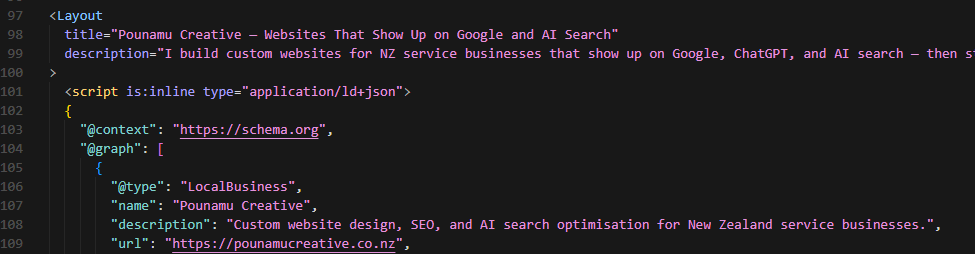
Do you need it? It is worth having — but not for the reason most people are told.
Google has been explicit on this point: structured data is not required for its generative AI features, and there is no AI-specific schema. If someone is selling you schema markup as the thing that gets you into AI answers, they are selling something Google has publicly ruled out. We made that claim ourselves on this site until September 2026, and it is one of five tactics worth knowing about before you sign anything.
What schema genuinely does is make you eligible for rich results in ordinary search, and hand Google clean, unambiguous facts about a local business. That is reason enough to ship it on every build. The one hard rule is that your structured data has to match what the page visibly says — markup claiming things the page does not state is a problem rather than an advantage. It remains one of the technical foundations most small business sites either lack entirely or have set up incorrectly, and a proper technical audit will flag it.
One important caveat worth knowing upfront: if your website is built on a free or low-cost plan from platforms like Squarespace or Wix, you may not be able to add schema markup at all, or only in a very limited way. These platforms restrict access to the underlying code on their lower tiers. The same applies to some WordPress setups, where adding schema properly requires a paid plugin — and those plugins add weight to the site, which can affect the load speed we covered in the previous section.
This is one of the reasons platform choice matters more than most people realise. A site that looks fine on the surface can have a ceiling built into it from day one.
How do I know if my website is optimised for AEO?
Honestly, most sites are not, and there are a few ways to check.
Run your site through Google PageSpeed Insights (pagespeed.web.dev) and look at the SEO score.
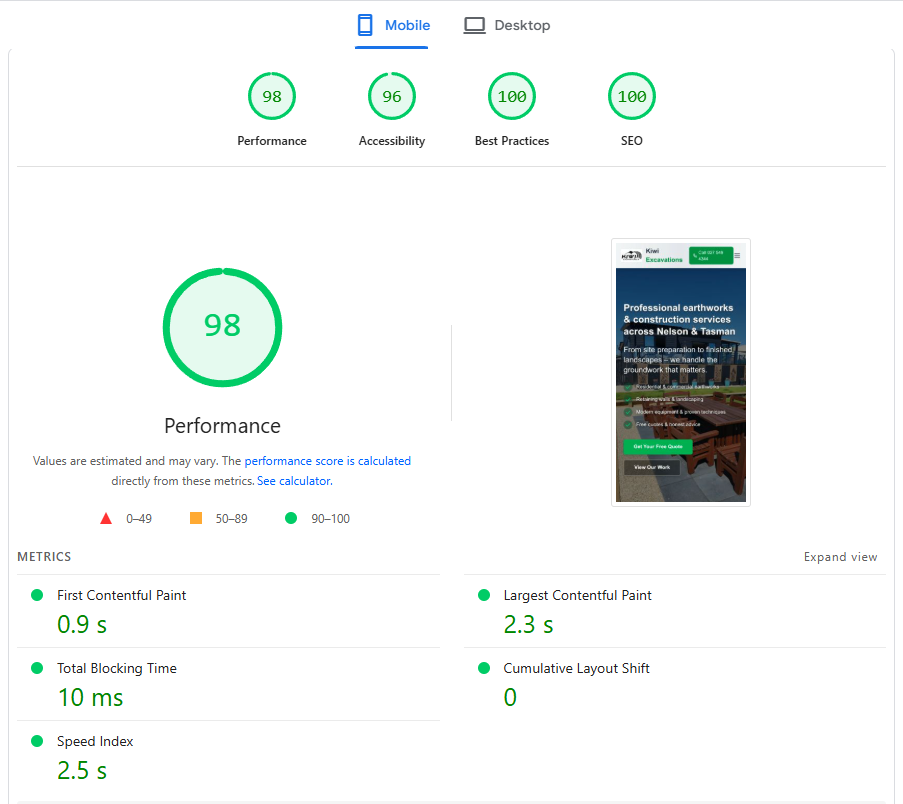
A score below 90 suggests there are structural issues that need attention, some of which will affect how AI tools read your site.
Check that your pages are actually eligible to appear. This is the one that catches people out, because nothing on the site looks broken. To be used as a supporting link in a Google AI answer, a page has to be indexed and allowed to show a snippet in ordinary search results. A nosnippet tag left on by a previous developer, or a max-snippet setting cranked too tight, removes you from every AI surface Google runs — quietly, with no warning. It is also worth confirming your hosting or CDN is not blocking crawlers, because a security setting that turns away a crawler has exactly the same effect as not existing.
Search for your own business on ChatGPT. Ask it something like “who are the best web designers in Nelson?” or whatever your equivalent would be. If you are not showing up in the kinds of searches your customers would do, that is a signal that your AI visibility needs work.
Check whether your Google Business Profile is fully completed and up to date. If it has gaps, old information, or no recent reviews, that will affect how AI tools perceive your business.
If you want a more thorough picture, a proper technical audit will tell you exactly what is there, what is missing, and what is worth prioritising.
How to track AEO performance?
This used to be the hardest question to answer honestly. It got easier in June 2026.
Traffic from AI Overviews and AI Mode has been counted in Google Search Console all along, inside the Performance report under the “Web” search type. It simply was not broken out, so there was no way to separate an AI-driven visit from an ordinary search visit.
In June 2026 Google announced AI-specific insights for Search Console: impression metrics, which of your pages are appearing in AI responses, and which countries they appear in. Google has said more metrics will follow. The rollout started with UK site owners before going global, so timing for New Zealand properties may vary — the practical move is to keep checking whether these reports have appeared in your Search Console, because when they land you have first-party AI visibility data straight from the source, at no tool cost.
Two related things arrived at the same time and are worth knowing about:
There is now an opt-out toggle. Search Console lets a site owner exclude their site from Google’s generative AI features entirely. Opted-out sites receive no traffic and no impressions from those surfaces. It is worth confirming nobody has ever switched it on for your site.
Preferred Sources now applies inside AI answers. People can nominate sites they want shown more prominently, and that preference now carries into AI Overviews and AI Mode. For a business with loyal customers, asking them to set you as a preferred source is a legitimate, free visibility lever that very few businesses are using yet.
For ChatGPT and Perplexity there is still no Search Console equivalent, and it is worth being straight about that. Track what you can: referral traffic from AI tools where it gets recorded, whether enquiry volume moves as you make improvements, and — the most reliable signal available to a small business — asking every new enquiry how they found you.
Can I optimise my existing site for AI search, or do I need a rebuild?
Both are possible, and which one makes sense depends on what your current site is built on and how well it is performing already.
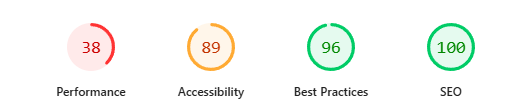
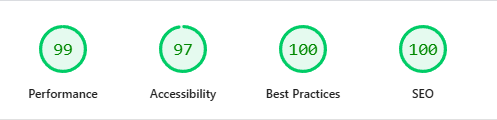
For sites with reasonable technical foundations, adding schema markup, restructuring content to be more question-led, completing your Google Business Profile, and building out your third-party presence can all be done without a rebuild. These changes alone can make a meaningful difference to AI visibility.
For sites with deeper structural problems, slow load times, poor technical SEO, no schema foundation, and content that does not clearly communicate what the business offers, a rebuild is often the more cost-effective path. Retrofitting good foundations onto a poorly built site can take more time and effort than starting fresh.
A technical audit is the right starting point either way. It tells you what you are actually working with before you commit to an approach.
Ready to understand more about GEO and AEO in depth? Read our guide: What is GEO? What Google actually says about AI search visibility.
Being pitched an AI visibility package? The GEO tactics Google says do nothing — including one we got wrong.
Websites are just one piece of what AI uses to recommend businesses. One of the most overlooked tools is completely free. Read our guide: What is a Google Business Profile — and does your business need one?
Or if you want to know where your site currently stands with AI tools:
Published by Pounamu Creative, Nelson NZ
Built to be found
Frequently asked questions
- How do I get my business recommended by ChatGPT or other AI tools?
- Make it easy for machines to understand you — a clear website, consistent listings, reviews, and structured data so AI can verify what you do and where you work.
- Is AI search separate from Google SEO?
- The tactics overlap almost entirely. Google's own position is that optimising for its AI features is SEO — there are no separate requirements and no AI-specific markup. Strong pages and local signals help both. Optimise for humans first; technical clarity follows.
- Do I need to rebuild my site for AI visibility?
- Not always. Sometimes content, schema, and performance fixes are enough. A rebuild helps when the foundation is weak or the CMS blocks good markup.